



Server sided dice rolls everyone around you can see.
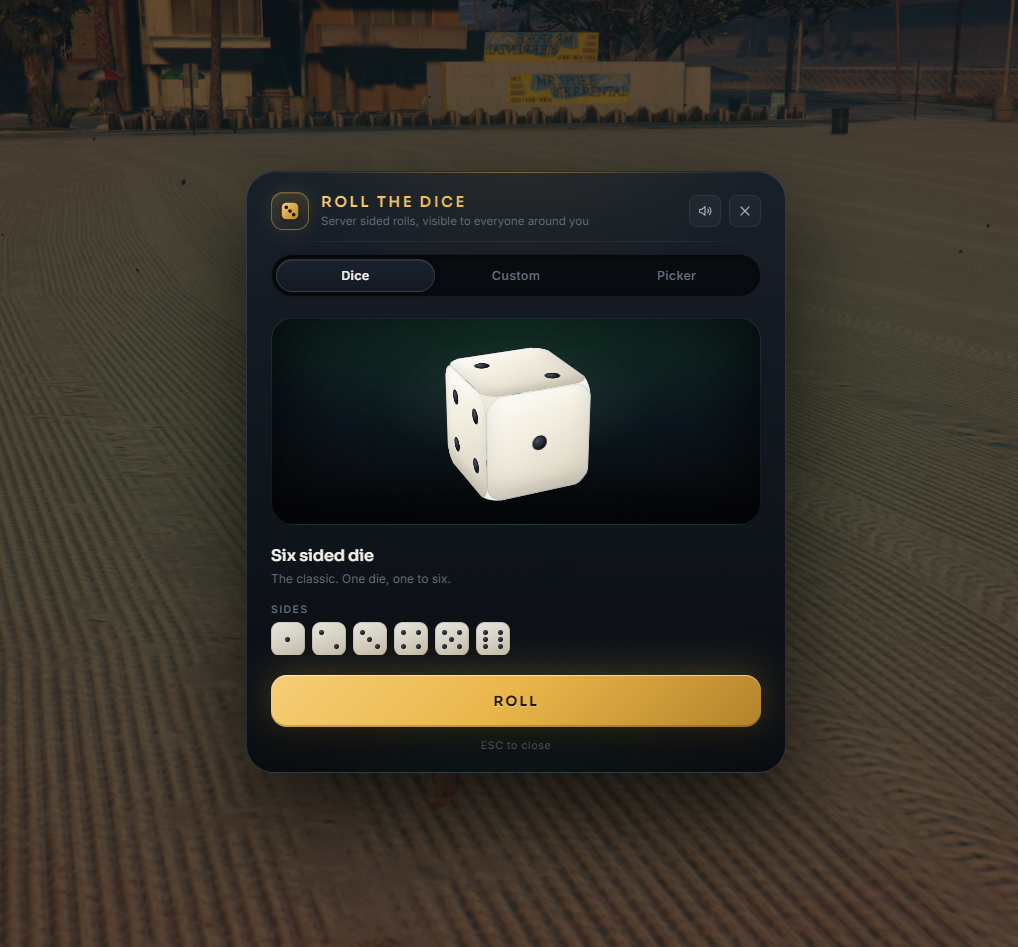
Every dice roll in roleplay comes down to one question: can the others trust the number? Roll The Dice takes that question off the table. The result is generated on the server, the interface only animates towards it, and everyone standing nearby sees the same number floating above the head of the player who rolled. Classic six sided die, custom die from 1 to 20 sides, or a spinning wheel that picks from a list the player writes themselves.
✨ Features
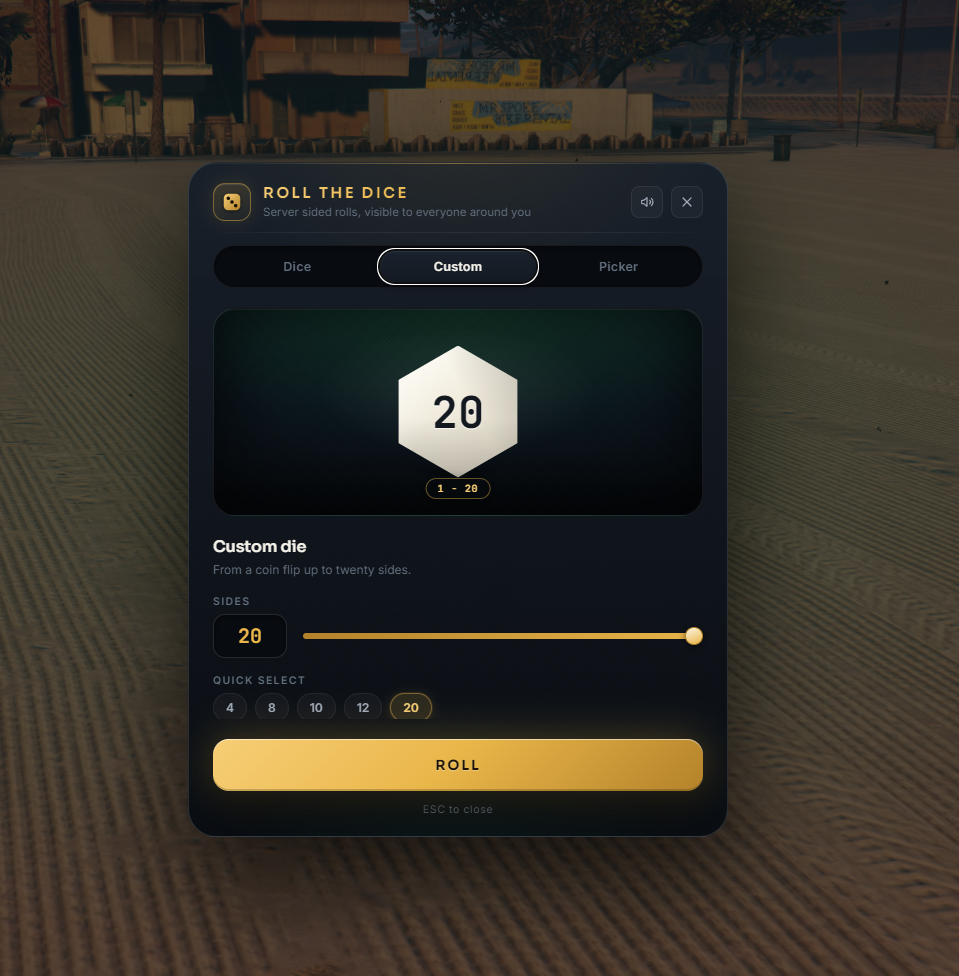
- Three roll modes - the classic six sided die as a real 3D cube, a custom die with 1 to 20 sides, and a random picker wheel. Every mode can be switched off in the config.
- Server sided results - the number is drawn on the server and validated against your config. Nothing a client sends can change the outcome, which is exactly what makes a dice roll worth anything in roleplay.
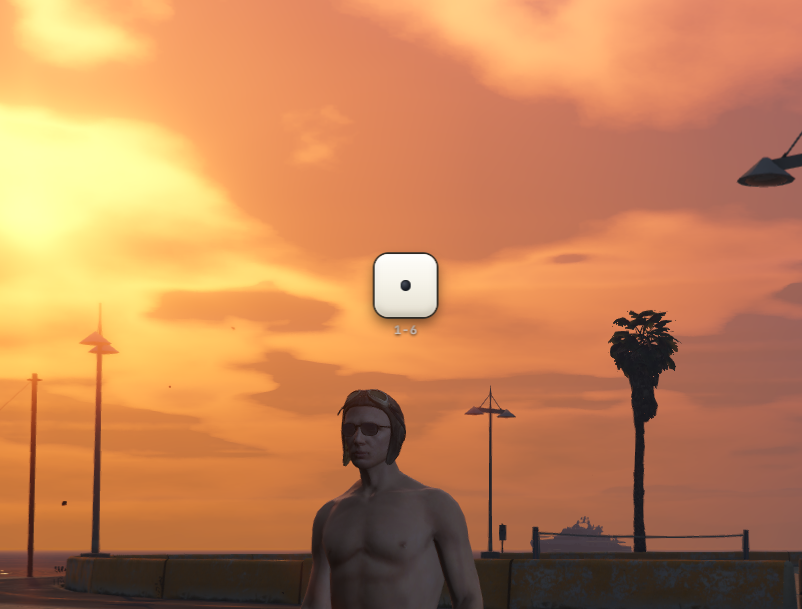
- A real die above the head - after the roll, everyone nearby sees a die showing the rolled side floating above the player. No text block, no name tag, just the die. Adjustable time, range and size, and the drawing code ships open so you can restyle it.
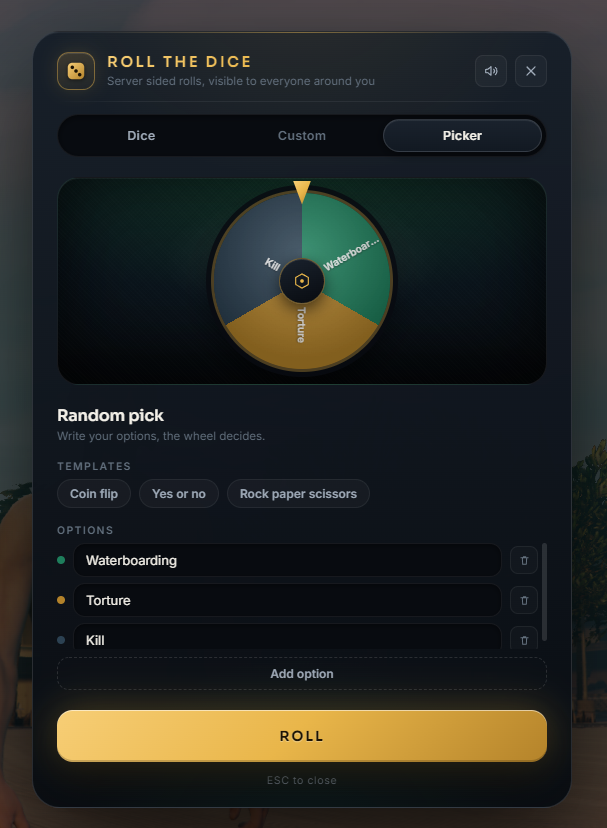
- Random picker wheel - players type their own options or pick a one click template you defined, the wheel spins, ticks and lands.
- Item, command or both - open it with an inventory item, with
/dice, or roll instantly with/dice 20without opening anything. - Five languages included - EN, DE, FR, TH, PT-BR, and every single string lives in the locales folder.
- Synthesized sound - dice rattle, wheel ticks and result chime are generated in the browser. No audio files, and players can mute them.
- No dependencies - no database, no oxmysql, no inventory requirement. Drop it in and start.
🧩 Framework Support
- ESX Legacy and QBCore - one download, auto-detection included
- Full framework bridge ships open source (
framework/) for custom forks
🔓 You stay in control
Escrow protected, but everything you need to customize stays editable:
config.lua- all settingssv_config.lua- server-only secrets (webhook), never readable by clientslocales/- EN / DE / FR / TH / PT-BR included, add your owncustom/- own notify and logging systems, own permission checks, own effects on a resultui/css/labels.css- the entire look of the floating result: die body, pips, polygon shapes, picker plateui/css/tokens.css- one shared palette for the interface and the result above the headframework/- complete ESX/QBCore bridge
⚡ Performance
Battle-tested in live production. This script runs daily on a server with 200+ concurrent players. The values below were measured at peak population, not on an empty test server - no measurable impact on the server tick rate and no FPS cost on the client, even at full slots.
0.0ms idle /0.02ms while a result is on screen (resmon)- Zero permanent threads - nothing runs while nobody is rolling
- The renderer for the floating result is created on the first result, runs only while it draws and deletes itself afterwards
- The server sends the result only to players who are actually close enough
📦 Requirements
- ESX Legacy or QBCore
- OneSync recommended (without it the distance check simply moves to the client)
🛟 Support
Questions or issues? Join our Discord: discord.gg/UmqU67rp4v
More StudioWorks scripts: studioworks.tebex.io
Installation guide (README.md) is included in the download.
One license per community. Reselling, sharing or re-uploading is prohibited.